
TL;DR: A "trading leak" is a recurring, quantifiable mistake — like oversized positions after a win streak or low risk-reward on expiry-day trades — that quietly erodes your P&L. These 5 prompts, run against your imported trade history in Ticker AI, surface leaks in minutes instead of hours of manual spreadsheet filtering.
You know your monthly P&L number. What most traders don't know is which specific behavior is responsible for most of the damage — because finding that answer manually means filtering a spreadsheet by date, instrument, time of day, and position size, cross-referencing four different theories, and usually giving up halfway through. The data to answer this already sits in your broker's contract notes. You're just not asking it the right question.
What You'll Need
- A WickLog account with your trade history imported via one-click CSV/broker import from Zerodha Kite, Groww, or Dhan
- At least 20-30 logged trades — fewer than that and any "pattern" Ticker AI surfaces is likely noise, not signal
- Access to Ticker AI, WickLog's conversational trading assistant, which is available on the Pro plan (₹349/month or ₹2,250/year)
- Optional: notes/lessons attached to your trades (see below), since prompts that reference why you took a trade need that field populated
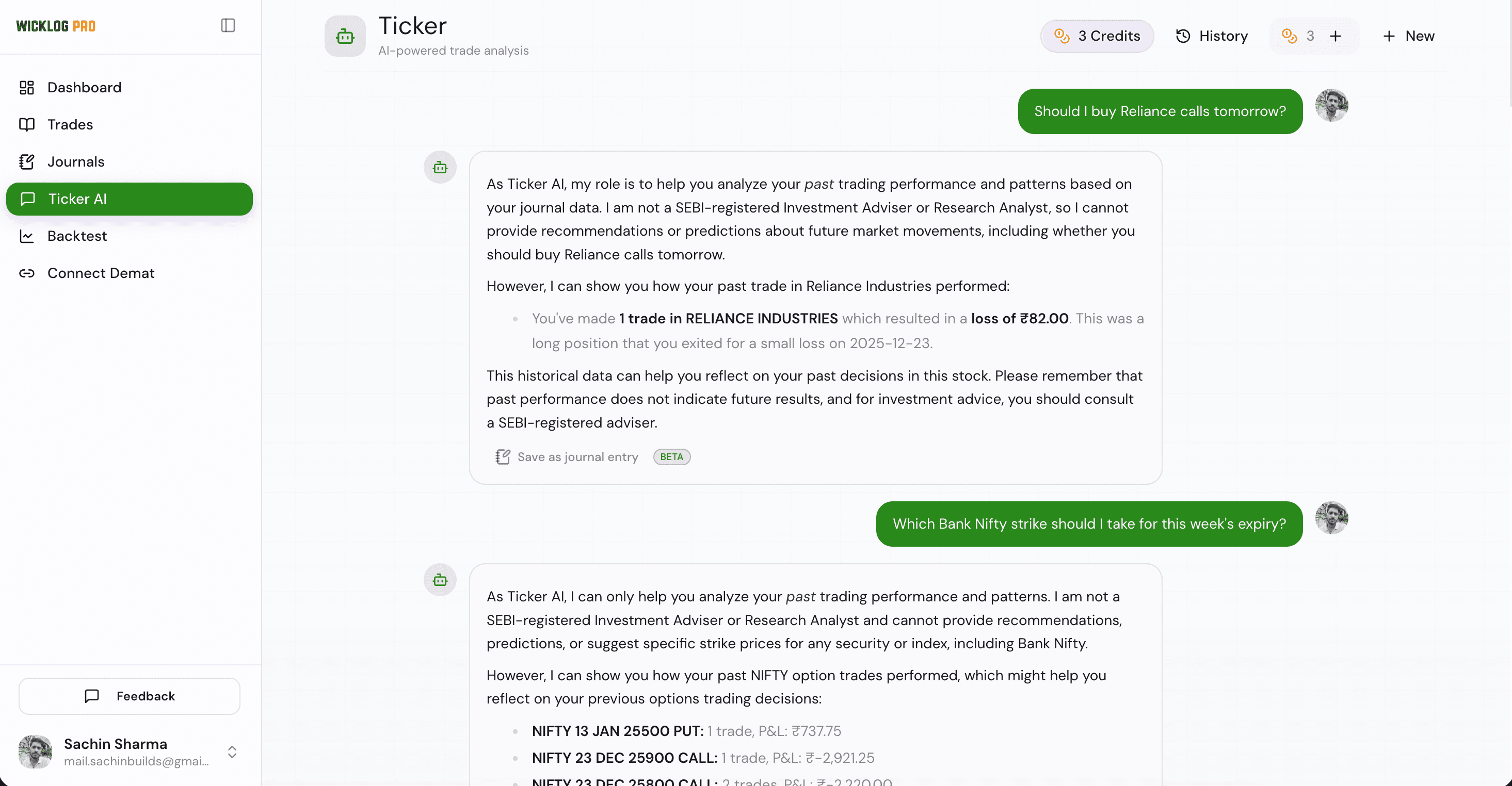 WickLog dashboard with Ticker AI chat panel open alongside imported trade list
Step-by-Step Walkthrough
Step 1: Find your revenge-trading pattern
Ask Ticker AI: "Show me all trades I entered within 15 minutes of a stop-loss hit, and compare their average risk-reward to my overall average."
This isolates the specific behavior of jumping back into the market immediately after a loss, before you've had time to reset. The reasoning: revenge trades are rarely planned, so they almost always carry weaker risk-reward setups than your baseline — this prompt gives you the number instead of the feeling. If the average R:R on these trades is meaningfully lower than your account average, you have a quantified leak, not a suspicion.
Step 2: Isolate your worst time-of-day window
Ask Ticker AI: "Break down my win rate and average P&L by hour of day, from 9:15 AM to 3:30 PM."
Most retail traders have one dead zone — often the 12 PM to 1:30 PM lull, or the volatile last 15 minutes before close — where their edge disappears entirely. Hourly segmentation turns a vague feeling ("I always lose in the afternoon") into an exact window you can simply stop trading in.
Step 3: Audit your position sizing discipline
Ask Ticker AI: "List trades where my position size was larger than my prior 10-trade average, and show whether they came after 2 or more consecutive wins."
This tests for the most common and most expensive leak: sizing up out of overconfidence rather than a rules-based reason. Cross-check what Ticker AI returns against WickLog's Position Size calculator to see what your risk exposure should have been on those specific trades versus what it actually was.
Step 4: Find your weakest instrument or setup type
Ask Ticker AI: "Compare my Expectancy across each instrument and strategy tag I've logged."
Expectancy (average win × win rate − average loss × loss rate) tells you which setups are actually profitable over time versus which just feel good because of a few memorable wins. A trader who's net profitable overall can still be bleeding money on one specific instrument — like Bank Nifty options — while their Nifty swing trades carry the whole account.
Step 5: Check if your stated rules match your actual behavior
Ask Ticker AI: "Search my trade notes for any mention of moving my stop-loss, and show the P&L impact of those trades versus trades where the stop stayed fixed."
This only works if you've been logging a brief note per trade — it's the one prompt that needs your own written record, not just the numeric data. It closes the loop between what you say your rule is and what your logged behavior actually shows.
Common Mistakes & Troubleshooting
- "Ticker AI says I don't have enough data" — This usually means fewer than 15-20 trades are imported for the filter you asked about (e.g., a specific instrument). Broaden the date range or the instrument filter before concluding there's no pattern.
- CSV import shows duplicate or missing trades — Usually caused by re-uploading an overlapping date range from Kite or Groww, or a contract note with merged multi-leg F&O orders. Re-export a clean, non-overlapping date range from your broker and re-import.
- Prompt returns a pattern with only 3-4 trades — Treat this as a hypothesis, not a conclusion. A leak needs a large enough sample to rule out coincidence; keep logging and re-run the same prompt in a few weeks.
- Notes field is empty, so behavior-based prompts (Step 5) return nothing — Ticker AI can only search what you've written. Start adding a one-line note per trade going forward if you want this category of leak detection to work.
Frequently Asked Questions
Is WickLog free to use for Indian traders?
Yes. WickLog's free plan covers Zerodha and Dhan tradebook file imports, manual journaling (50 trades a month), every analytics widget and the free calculators. Ticker AI, which you need for the prompts in this guide, is part of the Pro plan at ₹349/month or ₹2,250/year.
How does WickLog import trades from Zerodha, Groww, or Dhan?
WickLog uses one-click CSV/broker import to pull executed trade data directly from Kite, Groww, or Dhan contract notes, rather than requiring manual entry. Once imported, that data is what Ticker AI queries against.
How does Ticker AI help identify trading mistakes?
Ticker AI lets you ask plain-language questions about your own trade history — like which sessions had the worst risk-reward or which instrument is dragging your Expectancy down — instead of manually building pivot tables. It answers using your actual logged trades and notes, not generic trading advice.
Can Ticker AI execute trades or auto-sync with my broker in real time?
No, Ticker AI is a query and analysis tool over your already-imported trade history — it does not place trades or sync with your broker in real time. You import trade data via CSV/broker import first, and Ticker AI helps you analyze it after the fact.
Stop Guessing Which Habit Is Costing You Money
Every leak in this guide is sitting in data you already have — it just needs the right question asked of it. Import your trade history and let Ticker AI find the pattern before it costs you another month.