
TL;DR: Connect your Zerodha Kite account to WickLog in 4 steps using a secure, read-only OAuth login — no credentials are stored. Once connected, import your trades for any timeframe in one click, and they'll flow straight into your Dashboard, Journals, and Ticker AI.
If you're logging trades manually from your Zerodha console, connecting Kite to WickLog turns that into a one-click import. This guide walks through the full setup — connecting your account, importing trades, and where those trades show up once they're in.
What You'll Need
- An active WickLog Pro account
- An active Zerodha Kite trading account
- Your Kite login credentials and the TOTP from your Kite authenticator app
Step-by-Step
Step 1: Go to the Connect Demat screen
From your WickLog dashboard, navigate to the Connect Demat screen. This is where all supported broker connections live.
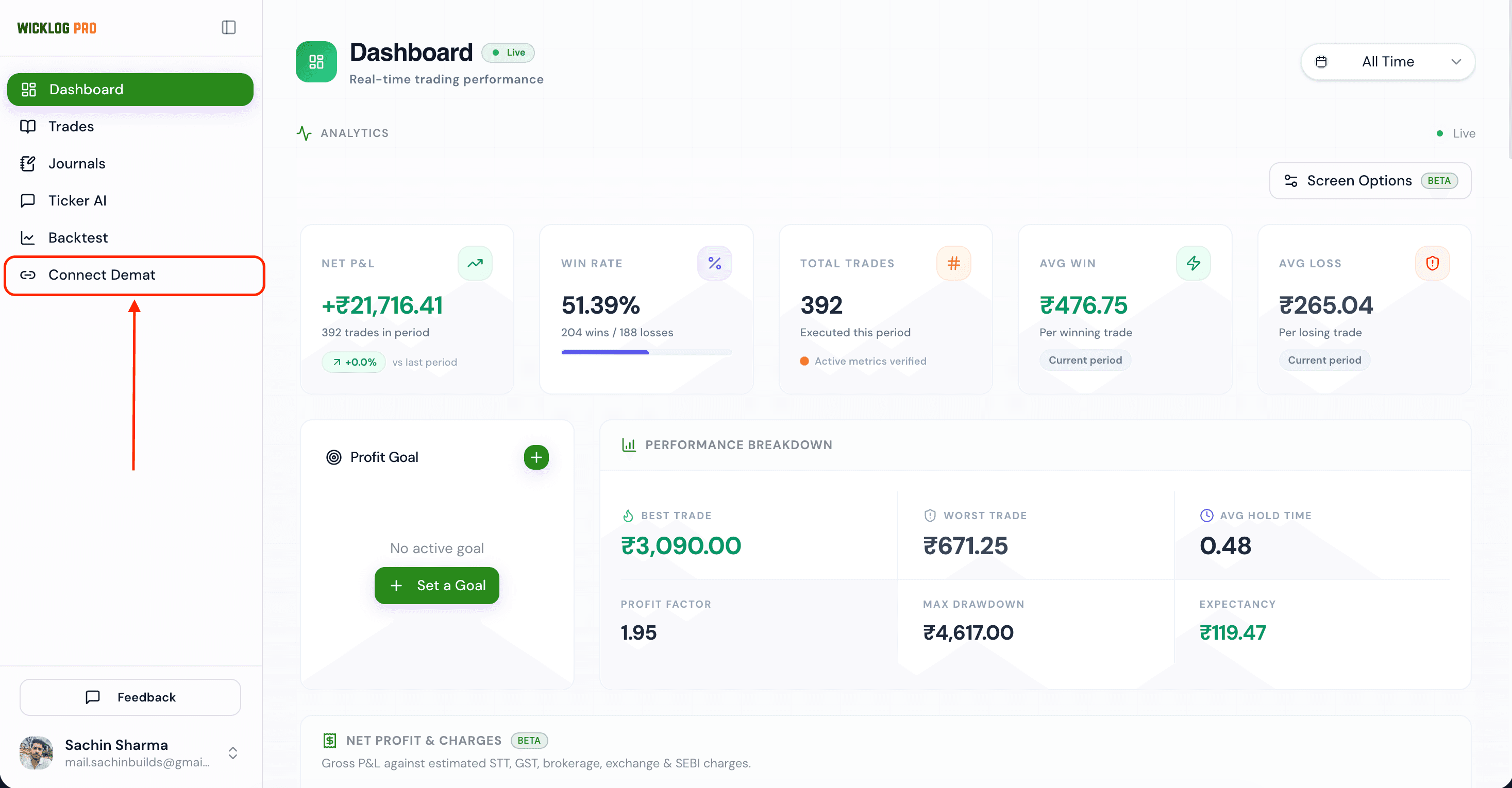 The Connect Demat screen in WickLog
Step 2: Connect your Zerodha Kite account
Click Connect on the Zerodha Kite card. This takes you to Zerodha's own official Kite login page — not a WickLog-branded screen — where you'll enter your Kite credentials and TOTP directly with Zerodha. WickLog never sees or stores this login information; it only receives read access to your tradebook through Kite's OAuth flow. On success, Kite redirects you back to the WickLog Trades screen.
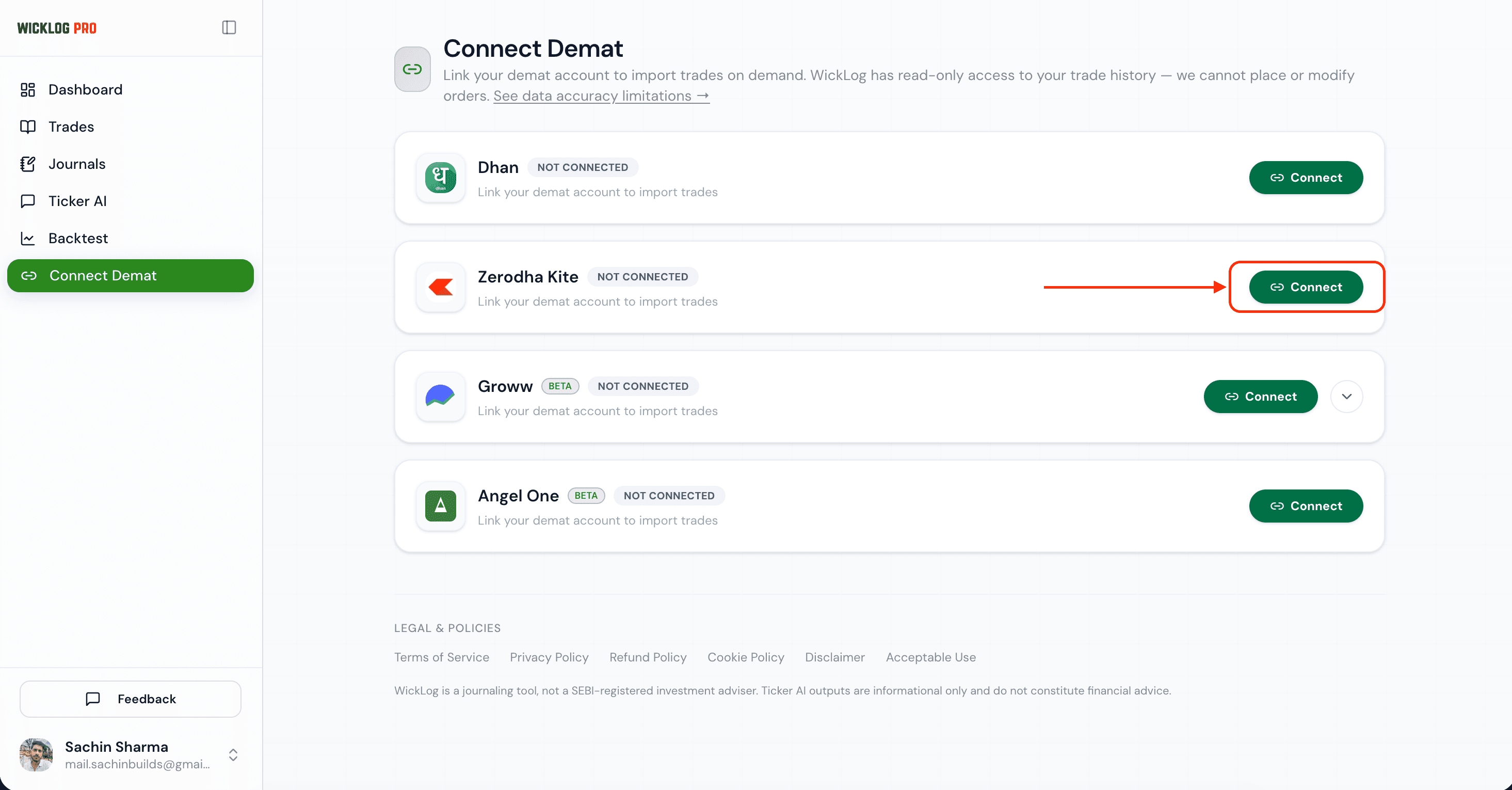 Connecting the Zerodha Kite card
Step 3: Import your trades
On the Trades screen, click Import from Zerodha Kite in the top-right corner.
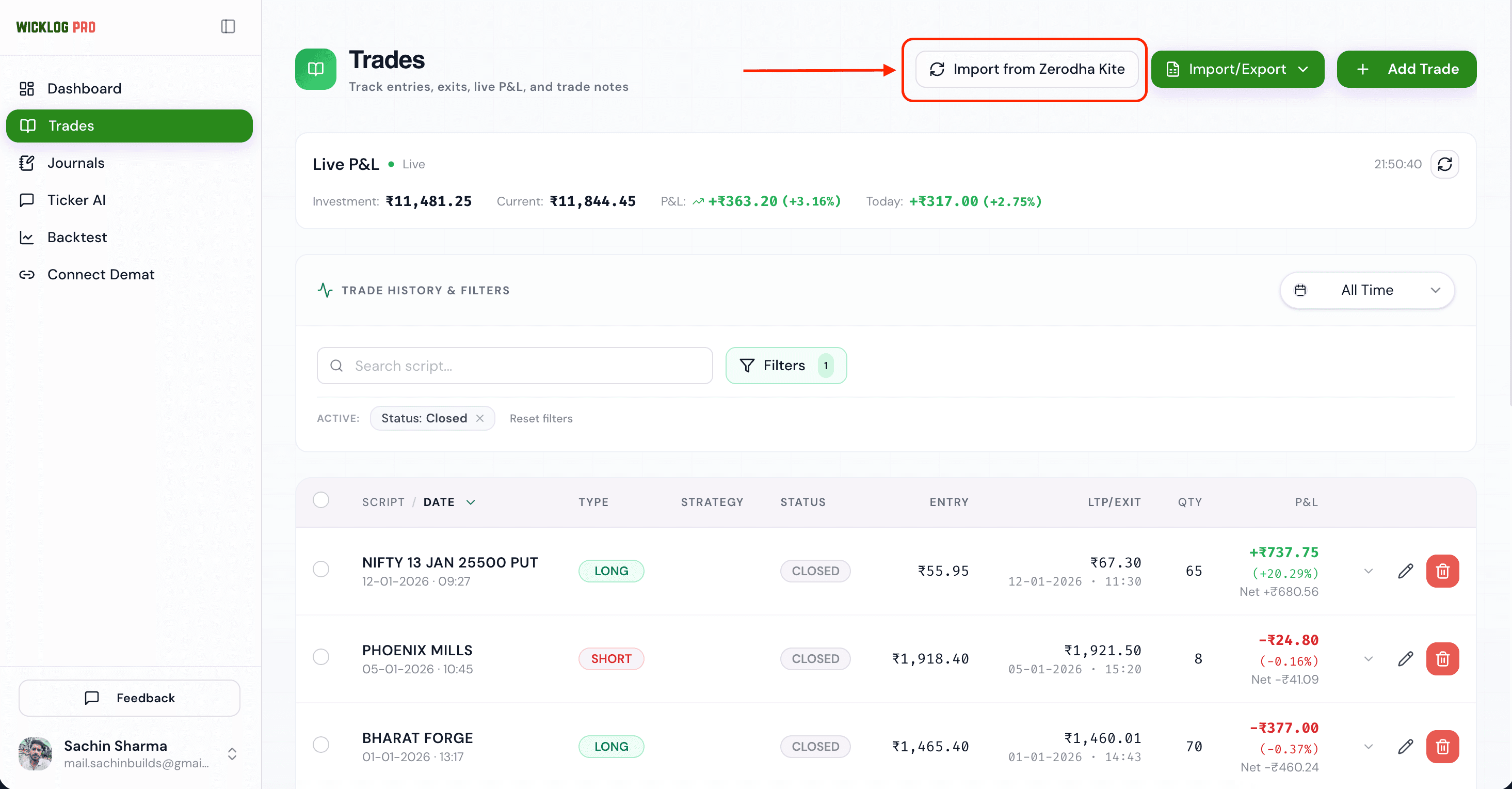 The Import from Zerodha Kite button on the Trades screen
An Import Options popup asks what to bring in: pick a Trade Type (all, open or closed trades) and a From/To date range, then click Import Trades.
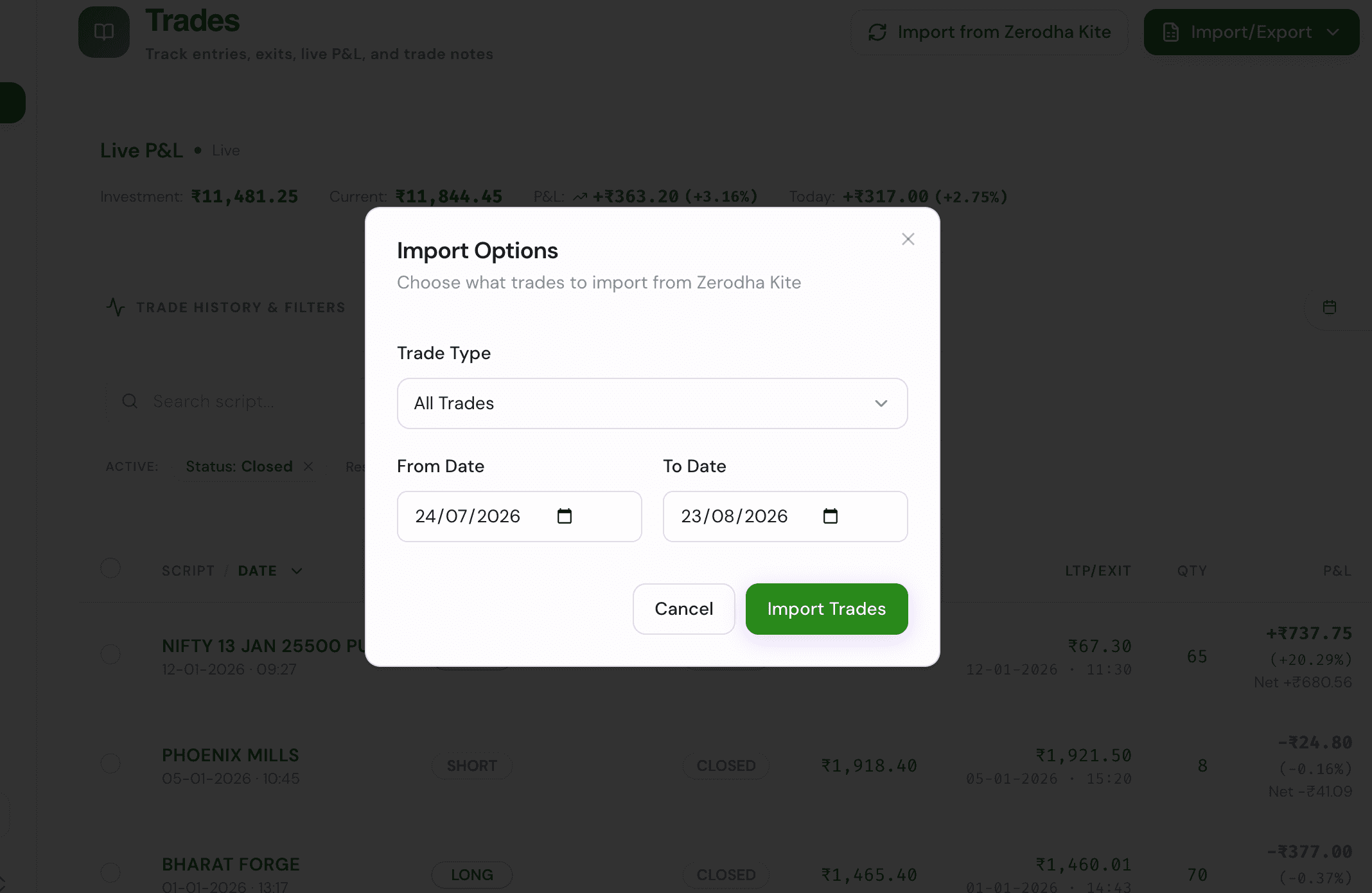 The Import Options popup with trade type and date range
Step 4: Confirm your trades have landed
Once the import finishes, your trades appear on the WickLog Trades screen. From there, they automatically feed into your Dashboard (performance stats), your Journals (so you can write notes and link trades to entries), and Ticker AI (so you can ask questions about your own trading data).
Why the Connection Expires (And Why That's a Good Thing)
Unlike a typical "connect once and forget it" integration, your Kite session with WickLog expires and needs to be reconnected periodically. This is intentional: WickLog only ever holds a temporary, read-only session rather than a permanent stored credential. A shorter-lived session means there's simply less standing access to your demat account at any given time — fewer opportunities for that access to be misused if anything ever went wrong on either end. The trade-off is you'll reconnect more often; the upside is meaningfully lower exposure.
Common Mistakes / Troubleshooting
- "Connect" doesn't redirect anywhere — check for a popup blocker; Kite's login opens in the same flow but browser extensions can interfere.
- TOTP rejected — make sure the code is current; Kite's TOTP window is short, so a few seconds' delay can invalidate it.
- Import shows no trades — double check the timeframe selected in the popup actually covers the dates you're expecting trades from.
- Trades not showing on Dashboard/Journals after import — give it a moment to sync, then refresh; if trades appear on the Trades screen but not elsewhere, that's a sync delay, not a failed import.
- Session expired mid-use — this isn't an error, it's the read-only session timing out. Just reconnect from the Connect Demat screen and re-import.
FAQ
Does WickLog get write access to my Zerodha account? No. The Kite connection is strictly read-only — WickLog can fetch your tradebook but cannot place, modify, or cancel orders on your behalf.
Why do I have to reconnect Kite so often? Zerodha expires every Kite Connect session daily (around 6 AM IST), for every app, not just WickLog. Sessions expire by design. It's a deliberate security trade-off: a short-lived, read-only session reduces the window in which your account data could be exposed, compared to a permanent stored connection.
Can I import old trades, not just recent ones? Yes. Set the From/To dates in the import popup to cover the period you want. For history older than what Kite returns, upload your tradebook file from Zerodha Console instead.
Is Zerodha Kite import available on the free plan? The free plan covers manual journaling (50 trades and 50 journal entries a month), Zerodha and Dhan tradebook file imports, and every analytics widget. One-click Kite sync is a Pro feature (₹349/month or ₹2,250/year).
Try It
Connect your Zerodha account and see your full trade history in WickLog in under two minutes — connect Kite now.
Using another broker? See the guides for Dhan, Groww and Angel One.