Auto trade import
Your journalwrites itself
Connect Zerodha Kite, Dhan, Groww or Angel One once, and every order, fill and timestamp imports into WickLog automatically. No CSV downloads, no spreadsheets, no Sunday-evening data entry.
Read-only access · We never store credentials · 2-min setup
Why manual trade logging fails
Every trader knows they should journal. Almost nobody sustains it, and the reason is friction: after a full trading day, copying entries, exits, quantities and timestamps into a spreadsheet is the first habit to die. Miss a week and the backlog kills the whole practice.
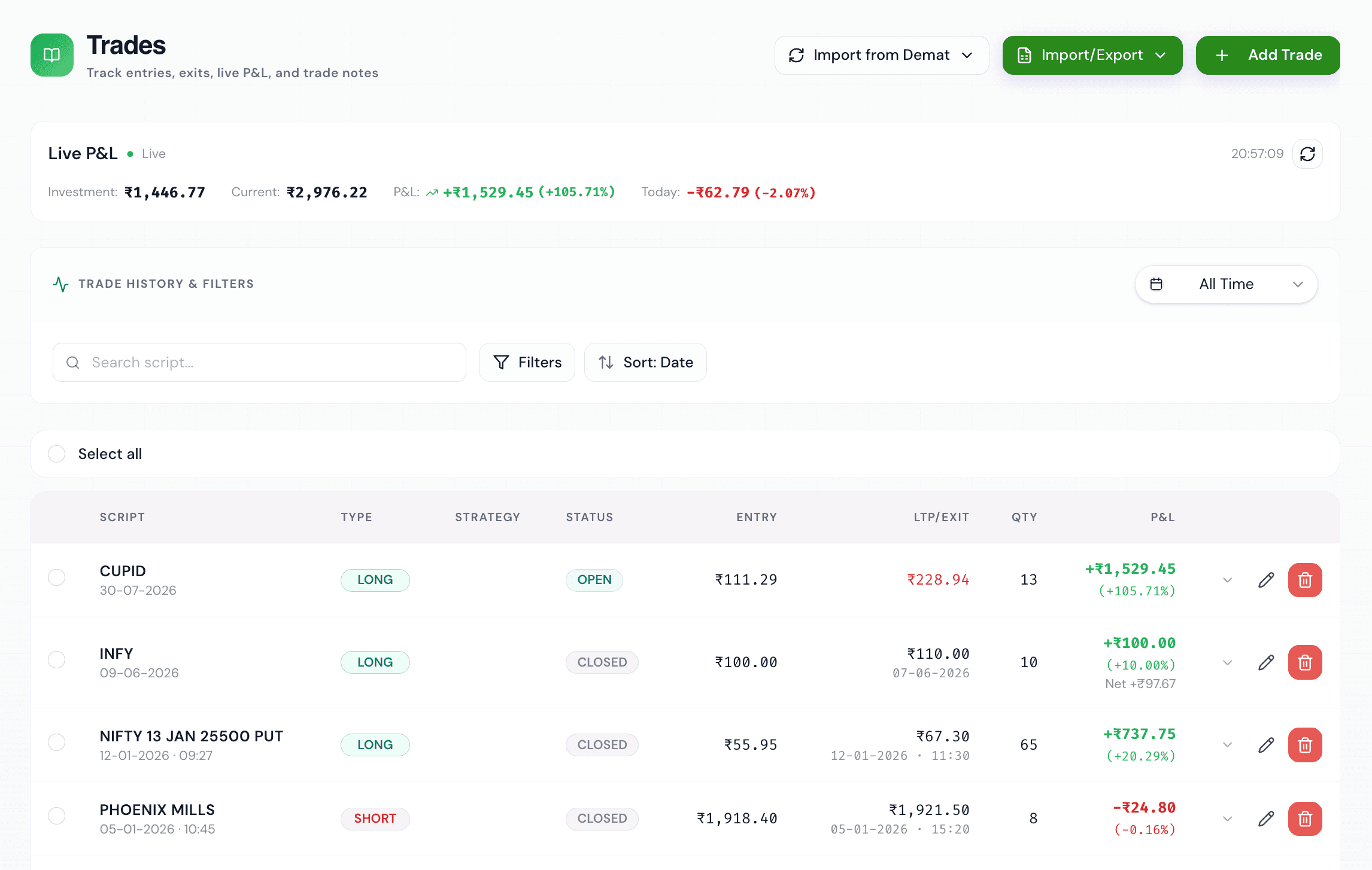
WickLog removes the friction entirely. Connect your demat account once, hit sync, and your complete trade history is in your journal — accurate to the exact fill and timestamp, matched into round-trip trades with P&L computed for you. The journal keeps itself up to date, so your energy goes into the part that actually improves your trading: reviewing, annotating and learning.
Four brokers, one journal
WickLog has live integrations with four of India's most popular brokers, each using the broker's own official API with read-only access. You can connect multiple demat accounts and see all your trades in one place.
Zerodha Kite
OAuth login through Zerodha's official Kite Connect flow — you authorise on Zerodha's own page, and your password never touches WickLog.
Dhan
Connect with an access token generated from web.dhan.co. Dhan tokens expire every 24 hours by design, so you paste a fresh one when you sync.
Groww
Add your API key and secret from Groww Cloud once; WickLog derives a fresh access token on every import — nothing to refresh manually.
Angel One
Connect via SmartAPI with your API Key, Client ID, Password, and TOTP Secret; WickLog automatically generates short-lived sessions programmatically.
Upstox
On the roadmap. Until then, manual entry and Excel import keep trades from any broker in your journal.
Built for Indian markets, secure by design
Generic international journals choke on Indian instruments. WickLog understands NSE and BSE natively — Nifty and Bank Nifty options with strikes and expiries, stock F&O with correct lot sizes, intraday and delivery equity, and the brokerage and charges that decide whether a trade was actually profitable.
Security is non-negotiable: every integration is read-only. WickLog can read your trade history but can never place, modify or cancel an order, and can never touch your funds. Broker credentials are never stored on WickLog's servers, and you can disconnect a broker at any time from Settings.
Once your trades are in, the rest of WickLog lights up — the analytics dashboard breaks down your win rate, P&L calendar and equity curve, and Ticker AI answers questions about your own trading patterns.
Frequently asked questions
Which brokers can WickLog import trades from?
Zerodha Kite, Dhan, Groww and Angel One are live today, all via official broker APIs with read-only access. Upstox is on the roadmap. You can also enter trades manually or via Excel for any other broker.
Is broker import free?
Broker import is part of WickLog Pro (₹349/month or ₹2,250/year), which also includes multiple demat accounts, Ticker AI credits and unlimited entries. The free plan includes manual entry of 50 trades a month plus the analytics dashboard.
Is it safe to connect my demat account?
Yes. All connections are read-only — WickLog can read trade history but can never place orders or move funds. Zerodha uses OAuth on Zerodha's own login page, and credentials are never stored on WickLog servers.
Do I need to upload CSV files?
No. WickLog pulls trades directly from your broker's API when you sync. There are no tradebook downloads, no column mapping and no copy-paste errors — that's the point.
Can I connect more than one demat account?
Yes. WickLog Pro supports multiple broker connections, so trades from Zerodha, Dhan, Groww and Angel One can all live in one journal.
What about trades from before I connected?
Your synced history imports from your broker, and anything older can be added manually or through Excel import so your whole record lives in one place.
Stop typing trades. Start reviewing them.
Connect your broker in two minutes and get a journal that's always complete, always accurate and always ready to teach you something.
Create your free accountFree forever plan · No credit card needed