Dhan integration
The trading journalbuilt for Dhan
Import every Dhan order, fill and timestamp into WickLog with secure, read-only API access. Intraday scalps, Nifty and Bank Nifty options, equity — journaled automatically, analysed instantly.
Read-only access · Official Dhan API · 2-min setup
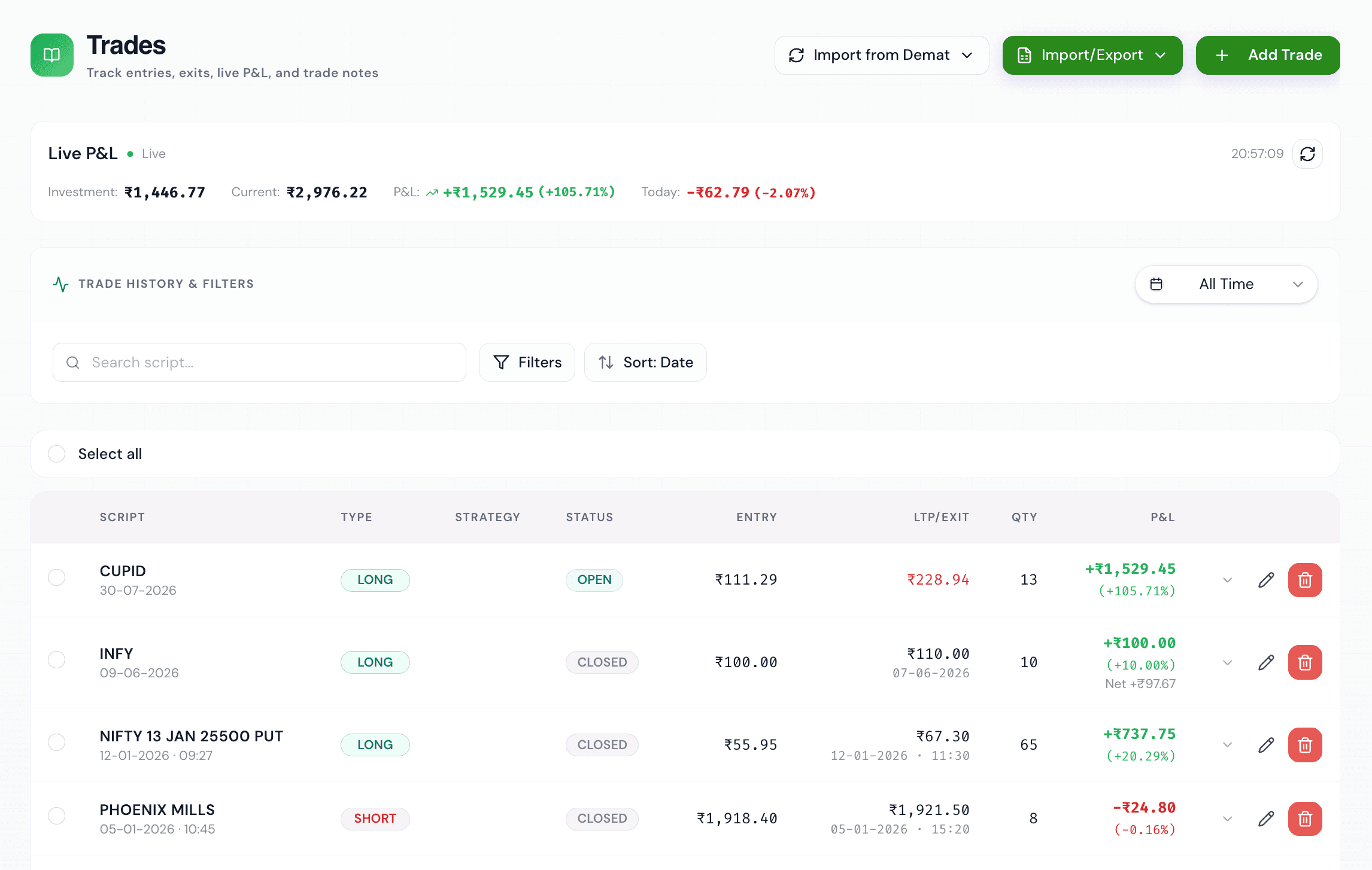
Import your Dhan trades automatically
Dhan has become a favourite of active Indian F&O traders — fast, modern, API-first. WickLog plugs straight into that: connect your Dhan account with an access token and your trade history imports on demand, matched into round-trip trades with P&L, exact execution timestamps and charges.
That means no tradebook exports, no spreadsheet maintenance, and no gaps in your journal after a heavy trading week. Options on Nifty and Bank Nifty, stock F&O, intraday and delivery equity all come through with lot sizes and strikes understood natively.
Trades from before you connected — or from another broker — can be added manually or via Excel import, so your full history lives in one journal.
Built for F&O
Strikes, expiries and lot sizes handled natively for index and stock derivatives.
Real timestamps
Execution times import exactly as they happened, powering win-rate-by-hour analytics.
Read-only by design
WickLog can read your Dhan trade history but can never place or modify orders.
Multiple accounts
Trade with Dhan and Zerodha or Groww? Connect them all — one unified journal.
How the Dhan connection works — honestly
Dhan's API uses access tokens that you generate yourself from web.dhan.co under Profile → DhanHQ Trading APIs. You paste the token and your Client ID into WickLog's settings, and syncing pulls your trades through Dhan's official API.
One thing to know upfront: Dhan expires these tokens every 24 hours by design. That's a Dhan security decision, not a WickLog limitation — in practice it means you paste a fresh token when you come back to sync new trades. Your credentials are encrypted, the connection is read-only, and you can remove it any time from Settings.
What your Dhan trades unlock in WickLog
Once imported, your trades feed WickLog's analytics dashboard: win rate, profit factor, P&L calendar, equity curve, performance by hour and by weekday, mistake patterns and more. You'll see in minutes what a spreadsheet would never show you.
Ticker AI takes it further — ask it questions about your own Dhan trading history in plain English and it answers with your actual numbers: where your edge is, which habits cost you money, and how your psychology correlates with your P&L.
How to connect, step by step
- 01
Create your free WickLog account
Sign up with Google — no credit card needed. Broker import is part of WickLog Pro (₹349/month or ₹2,250/year).
- 02
Generate an access token on Dhan
Log in at web.dhan.co and create a token under the DhanHQ Trading APIs section of your profile. Tokens are valid for 24 hours — a Dhan security feature.
- 03
Add the token in WickLog Settings
Paste your access token and Client ID under Settings → Broker connections → Dhan. Credentials are encrypted and the connection is read-only.
- 04
Sync your trades
Hit Sync and your Dhan orders and fills import on demand, matched into trades with P&L and timestamps. Paste a fresh token whenever you return to sync.
Frequently asked questions
Does WickLog work with Dhan?
Yes. WickLog connects to Dhan through the official DhanHQ API with read-only access and imports your orders, fills and timestamps on demand.
Why does my Dhan connection need a new token?
Dhan expires API access tokens every 24 hours by design — it's their security model. When you come back to sync, generate a fresh token at web.dhan.co and paste it in. Zerodha (OAuth) and Groww (auto-refreshed) work differently.
Is it safe to give WickLog my Dhan token?
Yes. The token grants read-only access — WickLog can read your trade history but can never place, modify or cancel orders or move funds. Credentials are encrypted, never sold or shared, and you can disconnect at any time.
Can I import Dhan F&O and options trades?
Yes. Nifty and Bank Nifty options, stock futures and options, intraday and delivery equity all import with strikes, expiries and lot sizes handled correctly.
Is the Dhan import free?
Broker import is a WickLog Pro feature (₹349/month or ₹2,250/year). The free plan includes manual entry of 50 trades a month, 50 journal entries and the analytics dashboard, so you can start free.
Can I connect Dhan and Zerodha at the same time?
Yes. WickLog Pro supports multiple demat account connections — Dhan, Zerodha Kite and Groww trades all merge into one journal.
Your Dhan trades, journaled automatically
Connect in two minutes, sync on demand, and let your trading history start teaching you something.
Create your free accountFree forever plan · No credit card needed