Angel One integration · Beta
The trading journalbuilt for Angel One
Connect your Angel One account through SmartAPI and bring your holdings, open positions and executed trades into WickLog. Equity, intraday and F&O, journaled and analysed in one place.
Official SmartAPI · Beta · Encrypted credentials
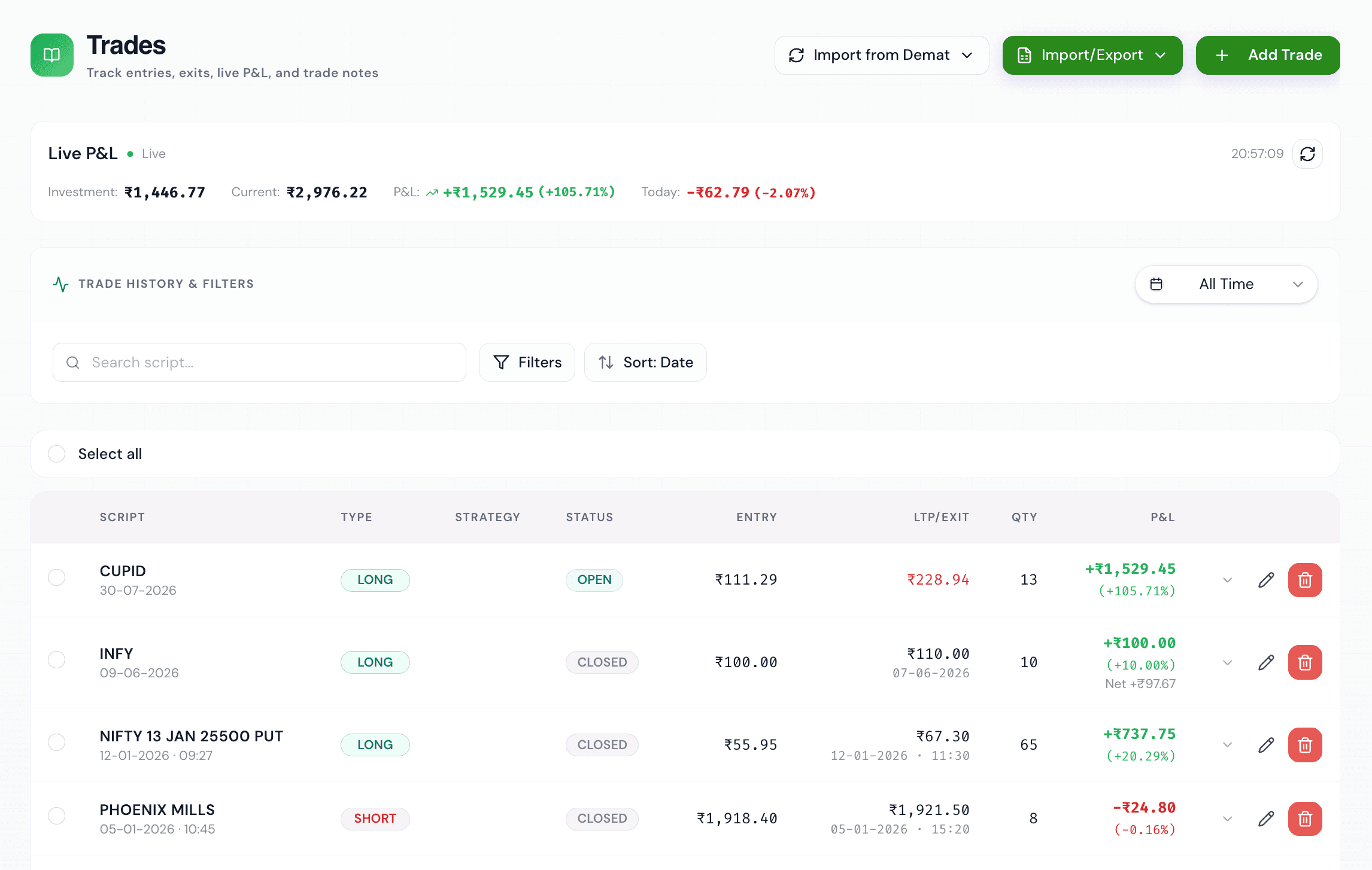
Import your Angel One trades
WickLog connects to Angel One through SmartAPI, Angel One's official trading API. Each sync reads your holdings, your open positions and the trades executed in your account that day, then matches buys and sells into round-trip trades with P&L.
Holdings and positions come in as open trades, so your journal always reflects what you're carrying. Intraday round trips from the day's tradebook land as closed trades with their execution times.
SmartAPI's tradebook only covers the current trading day, so sync on the days you trade. Older history can be added manually or with an Excel import, and it all lives in the same journal.
Holdings and positions
Delivery holdings and open intraday or F&O positions sync as open trades.
Same-day trades
Today's executions are matched into closed trades with P&L and timestamps.
Encrypted credentials
Your SmartAPI key, client code, PIN and TOTP secret are encrypted before storage.
Multiple brokers
Trade with Angel One and Zerodha, Dhan or Groww? Connect them all to one journal.
How the Angel One connection works
SmartAPI signs in with your API key, client code, PIN and a TOTP code. You create the API key on smartapi.angelone.in and enable TOTP in your Angel One profile. WickLog stores these encrypted and generates the TOTP code itself on every sync, so there's no daily token to paste.
The Angel One integration is in beta. If something doesn't import the way you expect, tell us from inside the app and we'll look at it.
What your Angel One trades unlock in WickLog
Once imported, your trades feed WickLog's analytics dashboard: win rate, profit factor, P&L calendar, equity curve, performance by hour and by weekday, mistake patterns and more.
Ticker AI can then answer questions about your own Angel One trading history in plain English, using your actual numbers.
How to connect, step by step
- 01
Create your free WickLog account
Sign up with Google, no credit card needed. Broker import is part of WickLog Pro (₹349/month or ₹2,250/year).
- 02
Create a SmartAPI key
Log in at smartapi.angelone.in and create an app to get your SmartAPI API key. Enable TOTP in your Angel One profile to get your TOTP secret.
- 03
Add your details in WickLog Settings
Enter the API key, client code, PIN and TOTP secret under Settings → Broker connections → Angel One. They're encrypted before they're stored.
- 04
Sync your trades
Hit Sync to import holdings, open positions and the day's executed trades. Sync on the days you trade to capture your intraday round trips.
Frequently asked questions
Does WickLog work with Angel One?
Yes, in beta. WickLog connects through Angel One's official SmartAPI and imports holdings, open positions and the current day's executed trades.
Can WickLog import my older Angel One trades?
SmartAPI's tradebook only returns the current trading day, so older trades can't be pulled through the API. Add them manually or with WickLog's Excel import.
Do I need to paste a new token every day?
No. WickLog generates the TOTP code from your saved TOTP secret on each sync, so the connection keeps working without a daily token.
Is the Angel One import free?
Broker import is a WickLog Pro feature (₹349/month or ₹2,250/year). The free plan includes manual entry of 50 trades a month, 50 journal entries and the analytics dashboard.
Your Angel One trades, journaled
Connect through SmartAPI, sync on the days you trade, and let your history start teaching you something.
Create your free accountFree forever plan · No credit card needed